

The Portal Nyverra ITSM is an IT service management platform that brings together, in one place, day-to-day service desk and the governance disciplines of ITIL and ISO 20000.
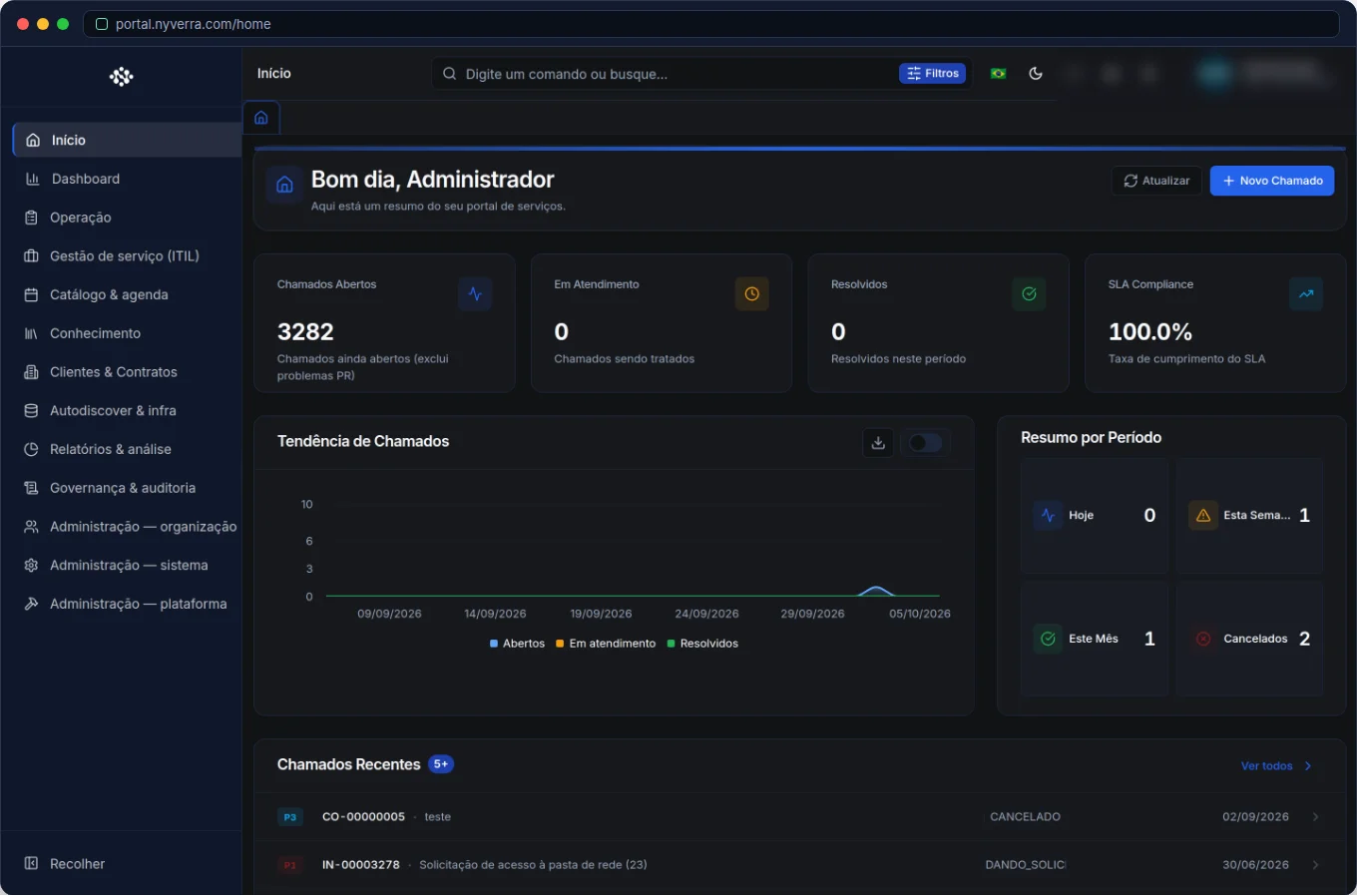 Module interface in Portal Nyverra ITSM.
The module map
The platform is organized into tracks:
- Operations: Tickets, Approvals, WhatsApp, AI Assistant.
- ITIL: Problems (with groups and KEDB), Changes, Releases.
- Catalog and schedule: Service Catalog, Schedule.
- Knowledge: Knowledge Base (internal and public).
- Customers and contracts: Customers, Contracts and hour pool.
- Infrastructure and CMDB: Assets, Business Services, Downtime.
- Reports: Dashboard, Reports, CSAT.
- Governance: Traceability, Audit, Feedback.
- Administration: Users, Groups, Roles, Integrations, Automation and more.
Where to start
- Configure branding and SMTP in Settings.
- Model the Service Catalog and the Ticket categories.
- Define SLA, groups and permissions.
- Connect monitoring in Integrations.
- Enable the modules that make sense for your profile in Manage Modules.
Full series
We publish a guide for each module. Start with Tickets, move on to ITIL, connect the CMDB and finish with governance and reports.
Conclusion
A mature ITSM is not a set of loose tools, but an integrated flow. The Nyverra Portal delivers this flow end to end.
Keep reading
Read also

StorCLI - Complete Cheat Sheet
StorCLI is the official and modern tool for managing Broadcom/LSI RAID controllers. This guide covers essential commands, syntax and use cases.
12 min de leitura Tutoriais
Business Services in Nyverra Portal: Translating IT into Business
The business doesn't feel a server go down — it feels email stop. The Business Services (Service Mapping) module of Nyverra ITSM Portal connects services like Email, ERP or PACS to CMDB assets, revealing the real impact of each failure.
5 min de leitura Segurança
RPO vs RTO: How to Define Before Buying Backup (and Why Most Companies Get It Wrong)
Most companies buy backup asking the wrong question: "how much does it cost?". The right question is: how much data can I lose (RPO) and how long can I be down (RTO). Discover how to define these numbers per system and avoid purchasing protection based on price, not on real need.
9 min de leitura
Comments
No comments yet
Be the first to share your thoughts on this article.


Leave a comment