

There is a language difference between IT and the business. IT speaks in servers, links and clusters; the business speaks in email that doesn't arrive, ERP that doesn't open, report that isn't issued. The Service Mapping of Portal Nyverra ITSM serves as a translator: it connects the assets to the business services they support.
This guide explains the Business Services module: what it solves, how the mapping works, and why service criticality should guide incident prioritization.
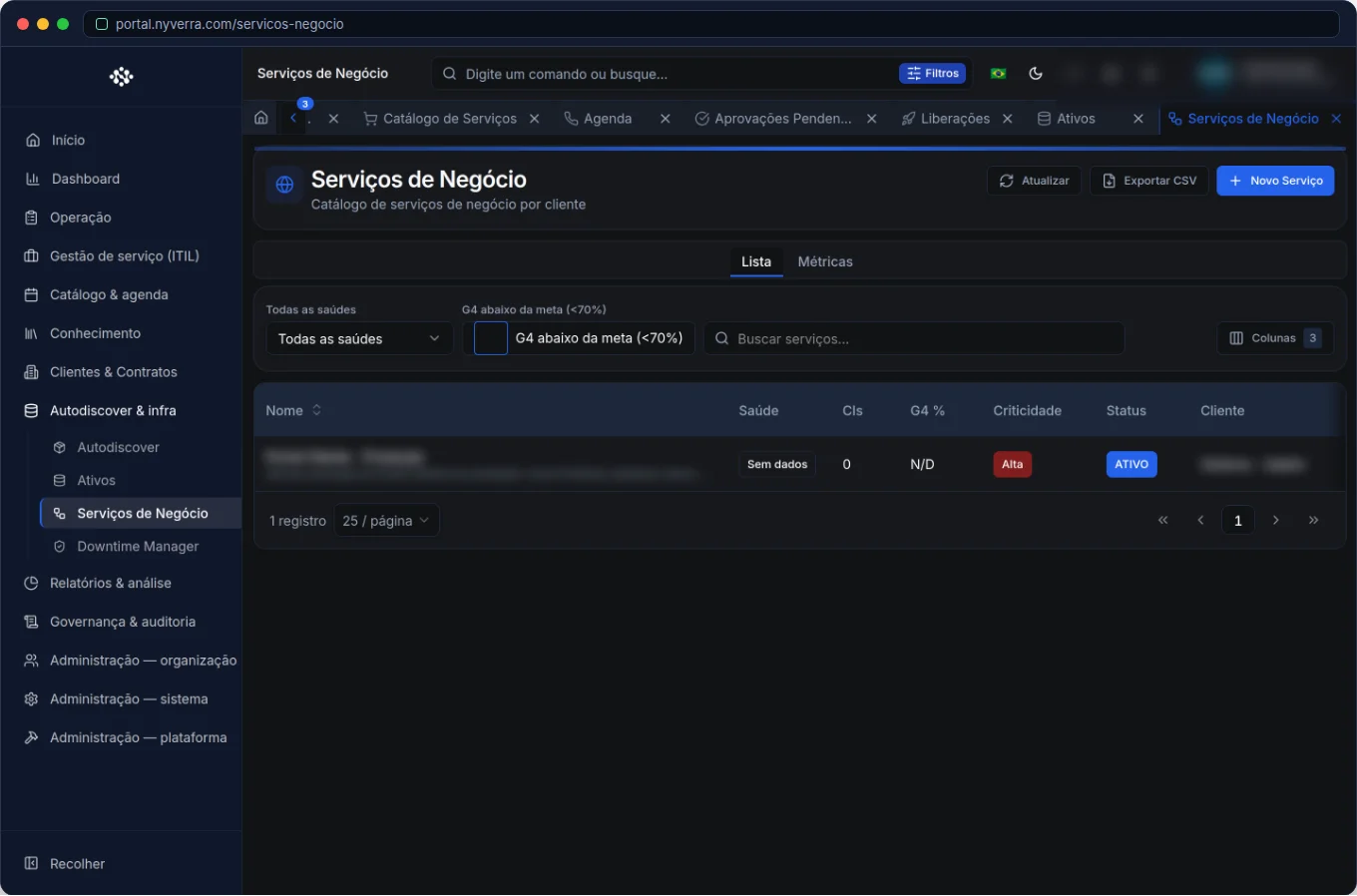 Module interface in Portal Nyverra ITSM.
What is a business service
A business service is the delivery the customer perceives — something with a business name, not infrastructure:
| Business service | Dependent assets |
|---|---|
| Corporate email | Email server, DNS, link, firewall |
| ERP | Application, database, storage, network |
| PACS (medical imaging) | Imaging server, storage, network, workstations |
The purpose of mapping is to answer, in seconds: “If this asset fails, which service does the customer lose and with what criticality?”
Why this changes prioritization
Without business services, the queue tends to reflect who complains loudest. With mapping, priority starts to reflect real impact. An alert on a staging server can be handled during business hours; the same alert on a PACS asset at a hospital is potentially critical, even if the technical symptom seems minor.
Who uses it
| Profile | Typical use |
|---|---|
| Service manager | Define services and criticality |
| Infra / CMDB | Map the assets that make up each service |
| Operations / NOC | Check impact when handling incidents |
How to use: step by step
- List the relevant business services (start with critical ones).
- Classify the criticality of each (high, medium, low).
- Link the CMDB assets that make up each service.
- Relate to clients/contracts when the service is specific to an organization.
- Use the map in service delivery to prioritize and communicate incidents.
Business rules
| Rule | Explanation |
|---|---|
| Service ≠ asset | The service is the delivery; the asset is what sustains it. A service depends on multiple assets. |
| Criticality | Must be defined with the business, not only by IT. |
| Update | The map must keep up with the CMDB; outdated, it misleads. |
Best practices
- Start with the most critical services and expand — don't try to map everything at once.
- Align criticality with the business: what does the customer consider essential?
- Link services to changes and problems to bring context to the decision.
- Use the map to communicate: “incident on service X” says more than “alert on host Y”.
- Review the map periodically, along with infrastructure changes.
Common mistakes
| Situation | What to do |
|---|---|
| “Paper” map, never updated | Create an owner for the map and review it with each relevant change. |
| Everything marked as critical | If everything is critical, nothing is. Differentiate by real business impact. |
| Service without linked assets | Without linkage, there is no impact analysis — map the dependencies. |
Frequently asked questions
What is the difference between business service and asset?
The asset is the technical piece; the business service is the delivery perceived by the customer, sustained by multiple assets.
Does this replace the CMDB?
No — it complements it. The CMDB stores the CIs; Service Mapping organizes them into services.
Is it for automatic prioritization?
Service criticality guides priority; configure it with the business.
Automate via API
The module is exposed via API (/api/servicos-negocio and mapping resources), favoring integration with the CMDB and monitoring tools. Reference at developer.nyverra.com.
Use cases: the map that changes prioritization
1. Hospital and PACS. An alert on a storage may seem routine — until the map shows it sustains the medical imaging system. The incident, then critical, is treated as such.
2. Corporate email. The failure of an email server affects hundreds of people. With the mapped service, communication to the business changes: “the email service is affected”, not “host X presented an error”.
3. ERP and month-end closing. A degradation of the ERP during closing period has disproportionate impact. Service criticality, combined with context, guides priority reinforcement and proactive communication.
How to build the map (without becoming an eternal project)
- List the business services from most to least critical.
- For each, identify the assets that sustain it (using the CMDB).
- Define the criticality with the business — not alone in IT.
- Link to clients/contracts, when the service is specific.
- Review the map with each relevant infrastructure change.
KPIs and impact
| Indicator | What it reveals |
|---|---|
| Mapped services vs total | Mapping coverage |
| Services without linked assets | Incomplete maps |
| Incidents per critical service | Where to prioritize effort |
| MTTR by criticality | If prioritization works |
With the map in hand, IT starts speaking the business language — and prioritization stops being opinionated and becomes strategic.
Service Mapping checklist
- List the business services by criticality.
- For each, identify the assets that sustain it.
- Validate criticality with the business.
- Link services to clients/contracts when specific.
- Define a map owner and review with each relevant change.
- Use the map in incident prioritization and communication.
Additional frequently asked questions
Do I need to map all services at once?
No. Start with the most critical; the map grows with maturity.
How does this link to the CMDB?
The CMDB stores the assets; Service Mapping organizes them into business services.
Does it serve for reports?
Yes — it allows reports by service and by criticality, as well as MTTR by impact.
Conclusion
Business Services give context to service delivery. When IT sees impact in business language, prioritization stops being opinionated and becomes strategic — and each incident is treated by what really matters.
Keep reading
Read also

StorCLI - Complete Cheat Sheet
StorCLI is the official and modern tool for managing Broadcom/LSI RAID controllers. This guide covers essential commands, syntax and use cases.
12 min de leitura Segurança
RPO vs RTO: How to Define Before Buying Backup (and Why Most Companies Get It Wrong)
Most companies buy backup asking the wrong question: "how much does it cost?". The right question is: how much data can I lose (RPO) and how long can I be down (RTO). Discover how to define these numbers per system and avoid purchasing protection based on price, not on real need.
9 min de leitura Tutoriais
Roles and Permissions in Nyverra Portal: Tailored Access Control
RBAC is the foundation of access control. See how the Roles module in Nyverra Portal ITSM defines granular profiles and permissions, protects sensitive functions with 2FA, enables temporary delegation by period, and relies on the principle of least privilege.
5 min de leitura
Comments
No comments yet
Be the first to share your thoughts on this article.


Leave a comment