

When five changes need to go into production on the same night, the risk isn't each one individually — it's the coordination. Someone deploys first, another depends on a service that hasn't been updated yet, and rollback becomes a puzzle. Release management exists to organize this package.
This guide details the Releases module of the Nyverra ITSM Portal: what a release is, how it relates to changes (RFC), the states and transitions, window validations, and the permissions that protect the process.
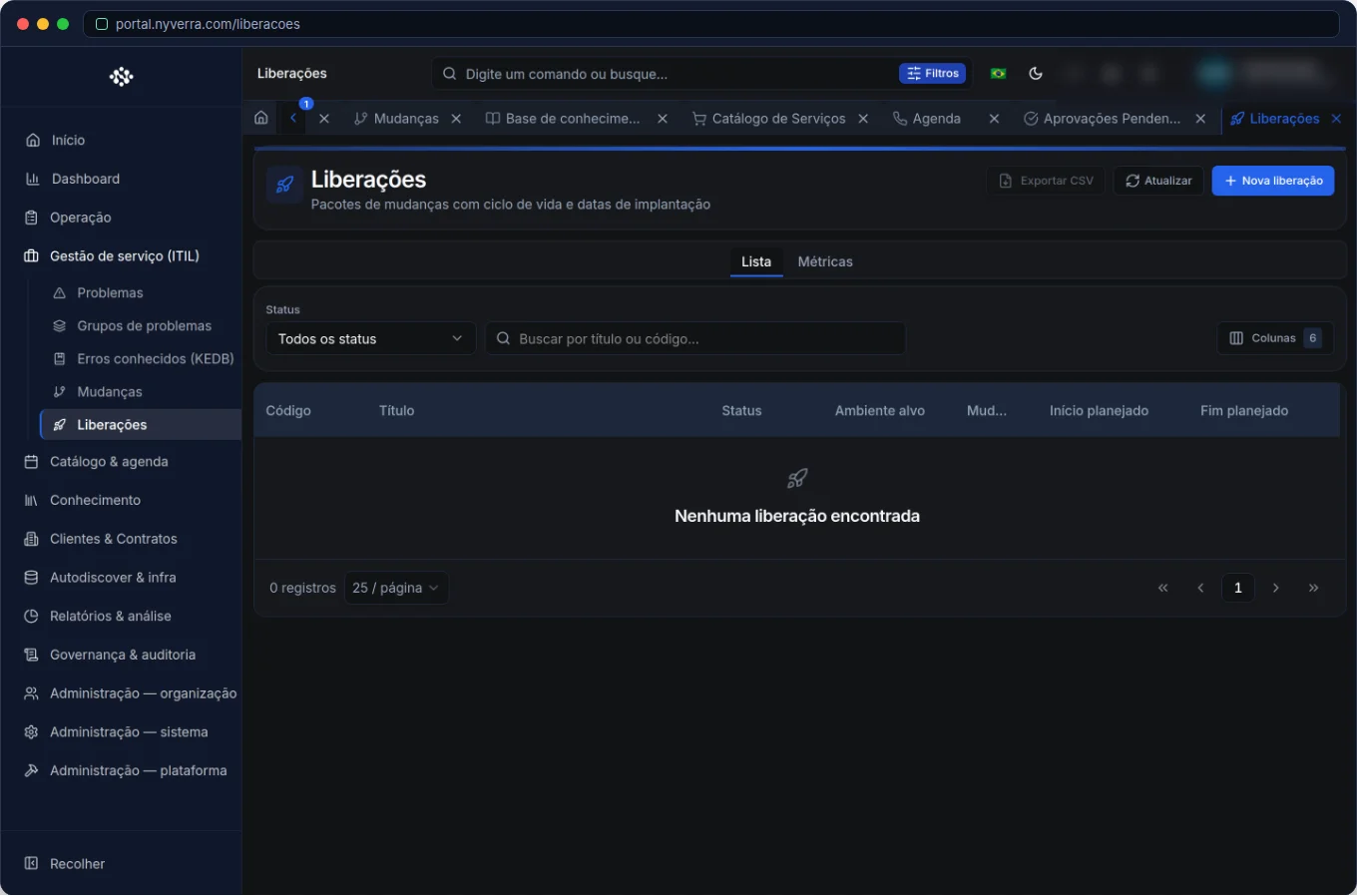 Interface of the module in the Nyverra ITSM Portal.
Release × change
The confusion is constant — and it's worth clarifying right away:
| Concept | What it is |
|---|---|
| Change (RFC) | The individual change, with type, risk, approval, and implementation. |
| Release | The package that groups one or more changes going into production in the same window. |
A release can contain several changes, and the association is N:N (with order in the package). The system generates an automatic code in the format REL-000001, REL-000002…
Beware of a false friend: “Request release” in WhatsApp Inbox does not relate to this module — there it means asking the operator to hand over the conversation. ITIL Release is under Service Management → Releases.
Release states
| State | Operational meaning |
|---|---|
| Planned | Package defined; window and changes still editable. |
| In progress | Go-live underway. |
| Completed | Release closed; record locked for editing. |
| Canceled | Package will not be deployed (or was aborted). |
Transitions are controlled: from Planned you can go to In progress, Completed, or Canceled; from In progress, to Completed, back to Planned (reopen), or Canceled.
Validations and system rules
| Situation | Behavior |
|---|---|
| Completed or canceled release | Cannot edit fields; cannot link or remove changes. |
| Delete release | Allowed only in Planned or Canceled. |
| Planned end | Must be later than planned start. |
| Actual deployment | If provided, must be within the window (start–end). |
| Same change repeated | Ignored (does not duplicate link). |
An important expectation: the Portal does not block completing the release if any RFC is still not approved. It shows the status of each linked change, but the “gate” of only deploying with everything approved is your company's process — validate in the Changes module and in Approvals.
Who uses it
| Profile | Typical use |
|---|---|
| Release manager / senior technician | Plan the package, define window, link changes, and monitor go-live |
Operator with RELEASE_* permission |
Create, edit status, and keep the package updated |
| Administrator | Grant LIBERACOES module permissions to appropriate profiles |
How to use: step by step
- Create the release (Service Management → Releases → New): title, description, target environment, planned window, and owner.
- Link the changes in the Linked changes tab, pasting the RFC's UUID (copied from the change detail).
- Start the go-live by changing the status to In progress.
- Record the actual deployment (date/time within the window).
- Complete the release when finished — or cancel if the package won't go up.
Permissions (RBAC)
| Permission | Allows |
|---|---|
RELEASE_VIEW_ALL |
View list and detail |
RELEASE_CREATE |
Create release |
RELEASE_UPDATE_ALL |
Edit, change status, link/unlink changes |
RELEASE_DELETE |
Delete (in allowed states) |
If the menu doesn't appear or actions fail with “no permission”, ask the administrator to review the profile.
Best practices
- Always group changes that go up together in the correct release — this provides traceability and audit.
- Never mark the release as Completed without aligning with what was actually deployed.
- Only go-live with all RFCs approved (validate manually — the portal doesn't enforce it).
- Assign an owner to the release: improves communication and coordination.
- Keep releases small and frequent: lower risk per window.
Common mistakes
| Situation | What to do |
|---|---|
| Cannot edit/link | The release may be Completed or Canceled. |
| Error saving dates | Check end > start and actual deployment within the window. |
| Invalid UUID | Copy the full ID from the RFC detail (UUID format). |
| “Completed release cannot be edited” | Expected — create a new release for another package. |
Frequently asked questions
Do I need to approve the release in Pending Approvals?
No. Approve each change in its own flow; the release is the record of the package.
Does the system prevent completion if an RFC is pending?
No — validation is manual, following the company's process.
Can a change be in two releases?
Technically yes (N:N); use with judgment (generally one RFC belongs to one release per window).
Automate via API
The module is exposed via API (/api/liberacoes, incl. deploy/cancel and linking with changes). Reference at developer.nyverra.com.
Use cases: releases in practice
1. Overnight maintenance window. Five RFCs need to go up together at 11 PM. The manager creates a release, links the approved changes, defines the window, and coordinates the go-live. At the end, records the actual deployment and completes it. The package is traceable end-to-end.
2. Release with partial rollback. During the window, one of the changes fails and needs to be reverted. The release documents what went up and what rolled back — preventing “production ended up in an undefined state”.
3. Audit of production changes. Months later, someone asks “what went up that night?”. The release answers: which RFCs, in what order, with what status, and when it was deployed. Without the package, the answer would be reconstructed by guesswork.
Release KPIs
| Indicator | What it reveals |
|---|---|
| Releases per period | Delivery cadence |
| RFCs per release | Package size (risk) |
| Deployments within window | Execution discipline |
| Canceled releases | Planning vs reality |
| Releases without linked changes | “Empty” or poorly recorded packages |
Automation and integration
The release communicates with the other modules: changes make up the package; Downtime Manager suppresses alerts in the window; Traceability keeps the history. To reduce risk, keep releases small and frequent — always with the rollback plan of each RFC validated before go-live.
Release implementation checklist
- Define who the release managers are (permissions
RELEASE_*). - Establish the package size policy (prefer small releases).
- Standardize the maintenance window and link with Downtime.
- Require a rollback plan for each change in the package.
- Validate, before go-live, that all RFCs are approved.
- Record the actual deployment and complete the release.
Additional frequently asked questions
Why doesn't the portal block completion with a pending RFC?
Because the “gate” depends on the company's process; the portal shows the status, but the decision to deploy is human.
Can I link the same change to two releases?
Technically yes, but the usual is one RFC belongs to one release per window.
How to audit what went up?
Through the release, which brings together the RFCs, the window, and the deployment dates.
Conclusion
Release management transforms a set of changes into a controlled package, with window, order, and deployment record. With the Releases module of the Nyverra ITSM Portal, going into production stops being improvised and becomes a predictable and auditable process.
Keep reading
Read also

StorCLI - Complete Cheat Sheet
StorCLI is the official and modern tool for managing Broadcom/LSI RAID controllers. This guide covers essential commands, syntax and use cases.
12 min de leitura Tutoriais
Business Services in Nyverra Portal: Translating IT into Business
The business doesn't feel a server go down — it feels email stop. The Business Services (Service Mapping) module of Nyverra ITSM Portal connects services like Email, ERP or PACS to CMDB assets, revealing the real impact of each failure.
5 min de leitura Segurança
RPO vs RTO: How to Define Before Buying Backup (and Why Most Companies Get It Wrong)
Most companies buy backup asking the wrong question: "how much does it cost?". The right question is: how much data can I lose (RPO) and how long can I be down (RTO). Discover how to define these numbers per system and avoid purchasing protection based on price, not on real need.
9 min de leitura
Comments
No comments yet
Be the first to share your thoughts on this article.


Leave a comment