

ZFS in Hospital PACS Infrastructure: Solving the Storage and Scalability Bottleneck
A structural problem, not an isolated one
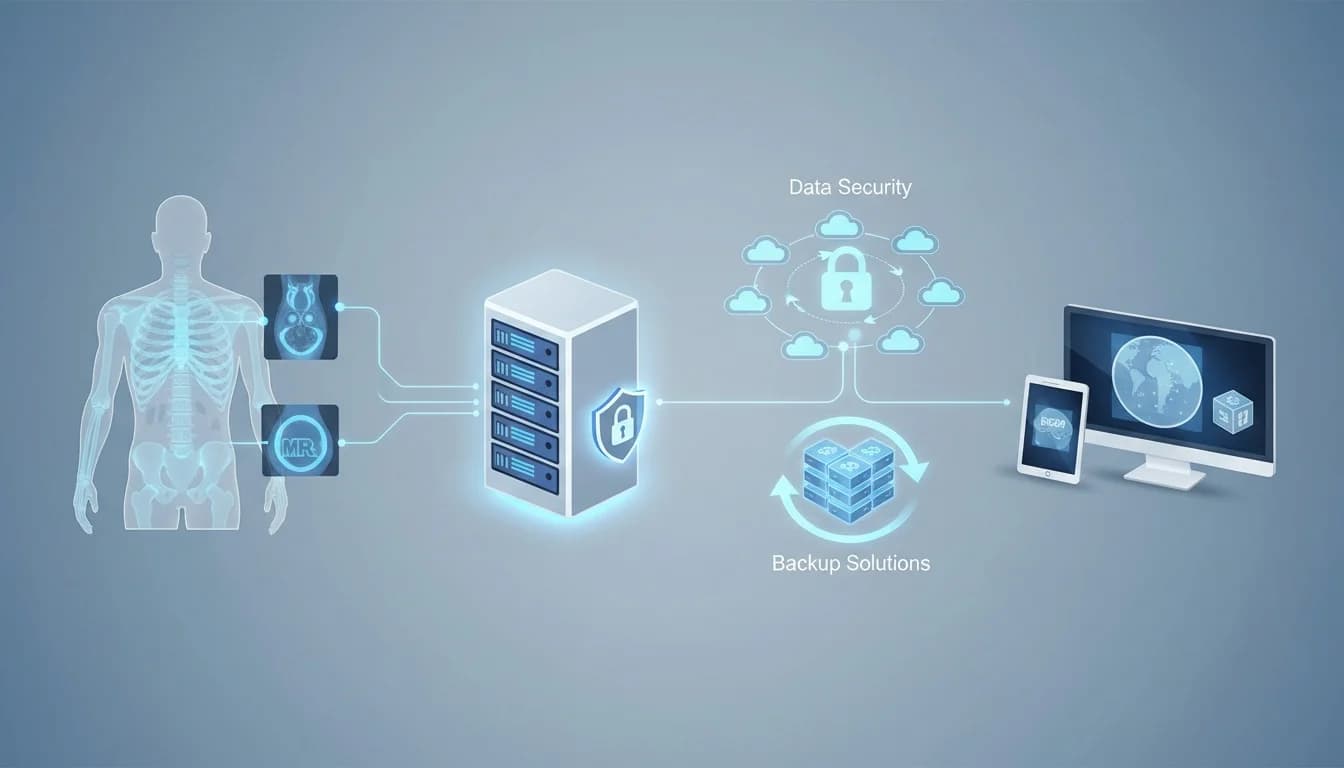
It is a recurring scenario in hospitals and diagnostic imaging clinics: PACS storage fills up faster than expected, the volume of exams grows almost exponentially — especially in CT and MRI, where each study generates series with hundreds of images — and expanding capacity becomes an expensive, time-consuming project that often carries the risk of service interruption that no radiology department can afford to have.
This is not a one-off problem; it is structural. PACS is by nature a write-intensive, long-retention system: legislation and clinical protocols require storing exams for years, in some cases for decades, while the volume of studies only tends to grow with advances in diagnostic medicine. Traditional storage infrastructures, designed around fixed RAID blocks with limited expansion, simply cannot keep up with this pace without pain.
Why ZFS solves this so efficiently
ZFS is not just a file system — it is a combined volume manager and file system, designed from the ground up to handle large volumes of data, continuous growth, and the requirement for absolute integrity. Applied to a PACS environment, this set of features translates into very concrete advantages.
Expandable pools without downtime. Instead of static disk arrays, ZFS organizes storage into “pools” that can receive new disks hot, with the system in normal operation. When PACS storage approaches its limit, you simply add capacity — without reformatting, without data migration, without interrupting service. This is precisely the most common bottleneck in hospitals: the need for large, costly expansion projects every time space runs out.
Transparent compression. ZFS applies block-level compression (lz4, zstd), which, depending on the type of medical image, can generate real space savings without a noticeable performance impact — in many cases with a performance gain, since less data needs to travel from the disk. In datasets with natively uncompressed DICOM images, this gain is usually significant.
Selective deduplication. It should be used with caution, as it consumes RAM intensively, but in specific scenarios — such as exam resubmissions or copies of studies between institutions — deduplication reduces redundancy significantly.
Instant snapshots and clones. Because it uses the copy-on-write model, ZFS snapshots are practically instantaneous, regardless of dataset size. This characteristic changes the backup and disaster recovery strategy for a PACS: it becomes feasible to maintain frequent restore points without the space cost of a full copy each time, and it also allows testing and migrations through clones without duplicating data.
Data integrity via checksumming. Every written block receives a checksum, verified on every read. In clinical data — where silent image corruption can have diagnostic and legal implications — this is a layer of protection that traditional file systems do not offer.
Tiering with specialized disks. It is possible to combine high-capacity mechanical disks for “cold” storage (old exams, rarely accessed) with SSDs or NVMe dedicated to write and read cache, optimizing cost per terabyte without sacrificing performance for the most recent exams — which are precisely the ones most consulted by radiologists.
RAID-Z with better efficiency. RAID-Z2/Z3 offers fault tolerance comparable to traditional RAID 6, but with lower rebuild overhead and additional protection against the so-called “write hole” of conventional RAID — relevant in environments that cannot risk losing clinical data.
Reference architecture
A typical structure for medium-sized hospital environments usually combines:
-
Primary pool (hot tier): SAS/NVMe disks in RAID-Z2 for exams from the last 6 to 12 months, with SSD dedicated to write and read cache.
-
Secondary pool (cold tier): high-capacity disks (18TB or more) in RAID-Z2/Z3 for long-term archive, with zstd compression enabled.
-
Replication via
zfs send/receiveto a secondary site or backup storage, leveraging the incremental efficiency of snapshots to reduce replication traffic. -
Virtualization layer (Proxmox, for example) consuming the pools via NFS or iSCSI for PACS server VMs, which keeps storage expansion independent of the compute layer.
Practical implementation considerations
Before migrating a PACS to ZFS, some points deserve attention:
-
Memory sizing: ZFS makes intensive use of RAM cache (ARC). For large volumes, you need to plan adequate memory — especially if active deduplication is used.
-
Avoid hardware RAID under ZFS: the ideal is to use the controller in passthrough mode (HBA in IT mode), letting ZFS manage the disks directly, with real visibility into errors and integrity.
-
Regular scrub: scheduling periodic checks (monthly, for example) helps detect and correct silent data degradation errors before they become a real problem.
-
Compatibility validation: since PACS typically accesses storage via NFS/iSCSI, or directly in the case of an appliance, it is important to validate throughput and latency according to the exam loading SLA — especially in CT protocols with large series.
Conclusion
For hospitals and clinics facing uncontrolled growth in the volume of medical images, ZFS directly addresses the most common problem of this type of infrastructure: expansion rigidity. Pools that grow on demand, continuously verified data integrity, efficient snapshots, and intelligent tiering between performance and cost make ZFS a technically sound choice — and one of the few capable of keeping up with the growth rate of a hospital PACS without requiring constant infrastructure redesigns.
For institutions already feeling this bottleneck, it is worth considering a gradual migration, starting with the cold archive tier, where the operational impact is lower and scalability gains appear already in the first pool expansion.
This article is part of Nyverra's series of technical content on critical infrastructure for the healthcare sector. To discuss storage and virtualization projects for hospital environments, contact our team.
Keep reading
Read also

StorCLI - Complete Cheat Sheet
StorCLI is the official and modern tool for managing Broadcom/LSI RAID controllers. This guide covers essential commands, syntax and use cases.
12 min de leitura Portal ITSM
Business Services in Nyverra Portal: Translating IT into Business
The business doesn't feel a server go down — it feels email stop. The Business Services (Service Mapping) module of Nyverra ITSM Portal connects services like Email, ERP or PACS to CMDB assets, revealing the real impact of each failure.
5 min de leitura Segurança
RPO vs RTO: How to Define Before Buying Backup (and Why Most Companies Get It Wrong)
Most companies buy backup asking the wrong question: "how much does it cost?". The right question is: how much data can I lose (RPO) and how long can I be down (RTO). Discover how to define these numbers per system and avoid purchasing protection based on price, not on real need.
9 min de leitura
Comments
No comments yet
Be the first to share your thoughts on this article.

Leave a comment